 MY BOWLING JOURNEY
Improve's Coach tab is where you and your coach meet: the work they set you, how you got on, and notes you can both read. Coaching is part of Pro. On the free plan the tab shows a locked Coaching card with See what Pro adds, and a coach already linked to you stays linked.
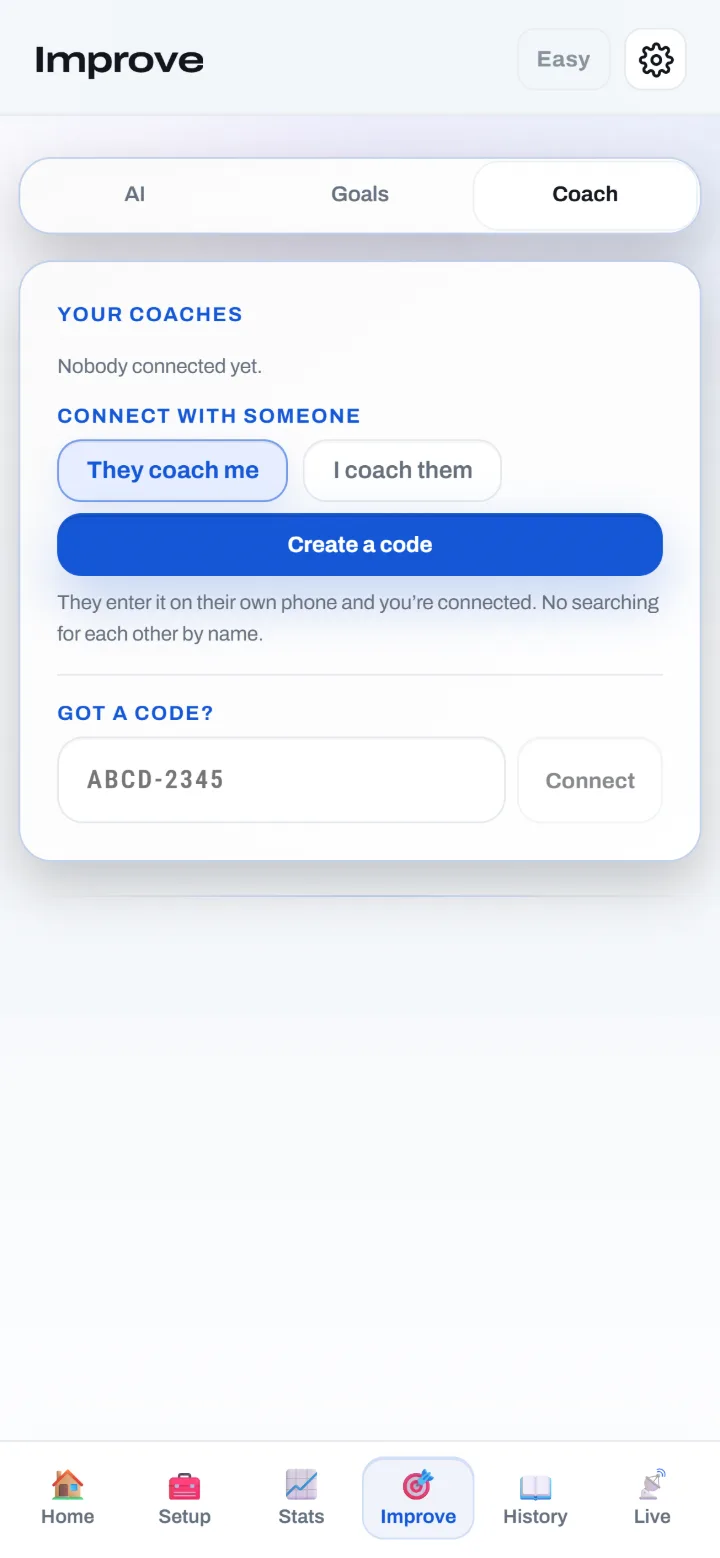
Connect with your coach
You connect with a code, said out loud or sent, so nobody has to search for anybody by name. Either of you can make it.
You make the code:
- Tap Improve, then Coach.
- Under Connect with someone, leave They coach me picked and tap Create a code.
- The code shows big, like ABCD-2345, with "Read this to your coach." It works once, for the next 7 days.
- Your coach types it in on their own phone. Tap Done to put the code away.
Your coach makes the code:
- On your phone, tap Improve, then Coach.
- Type the code under Got a code? and tap Connect.
- "Connected. They're in the list above."
There's no request to accept: the code connects you straight away. If it doesn't work, the app says why: "That code is not valid." (wrong, used or out of date), "That is your own code. Send it to the other person." or "Too many tries. Wait a little and try again."
Your coach then shows under Your Coaches. Working with more than one? Each has a chip; tap one to see their tasks and notes.
Once you're connected, your coach can see the scores and frames you save: your average, high game, recent nights, strike and spare rates and where your misses go.
Your tasks
Under "Tasks:" and your coach's name, each task shows its title, any detail, a target if your coach set one (like "Target: 75% Spare %"), and when it's due.
- Did it? Tap Done.
- Put the work in, whether you got there or not? Tap Worked on it. For a task with a target, type the number you reached under What did you get to?. Add anything for your coach under Anything to tell your coach?, then tap Save.
- Changed your mind? Reopen puts it back.
Answered tasks move under Done & Attempted. Your coach sees what you reached and how far short, never a fail.
Open tasks also show in your Inbox, like "2 tasks from your coach". See The Inbox.
Goals from your coach
Your coach can set you a goal too, like an Average of 200. It shows on Improve's Goals tab with your own goals and tracks itself as you bowl. It's one goal per statistic, so it replaces yours for the same one. Your coach sees every goal you have. Remove takes one off, like any goal. See Goals.
Notes
Under Notes, you and your coach can both read and write, and you both see everything. Type in the box and tap Post. Each note shows who wrote it (You, or your coach's name) and the date.
Notifications
Turn on Coach activity in Settings > Notifications to hear about new tasks and notes from your coach. See Notifications.
Insights and your coach
With a coach connected, Insights adds a line under its cards suggesting you talk it over with them before changing anything. See Insights.
Ending it
End coaching relationship, at the bottom of the tab, ends it straight away. There's no second question. Your coach stops seeing your bowling.
To block or report someone, use the menu beside "Block or report" and their name. See Blocking and reporting a bowler.