 MY BOWLING JOURNEY
Accuracy is for hitting your mark. You say where you're standing and what you're aiming at, and after each shot you say where the ball actually crossed. The app keeps count of how often you're on the board, and draws every shot on the lane. Like a drill, it never touches your average.
Set your stance and targets
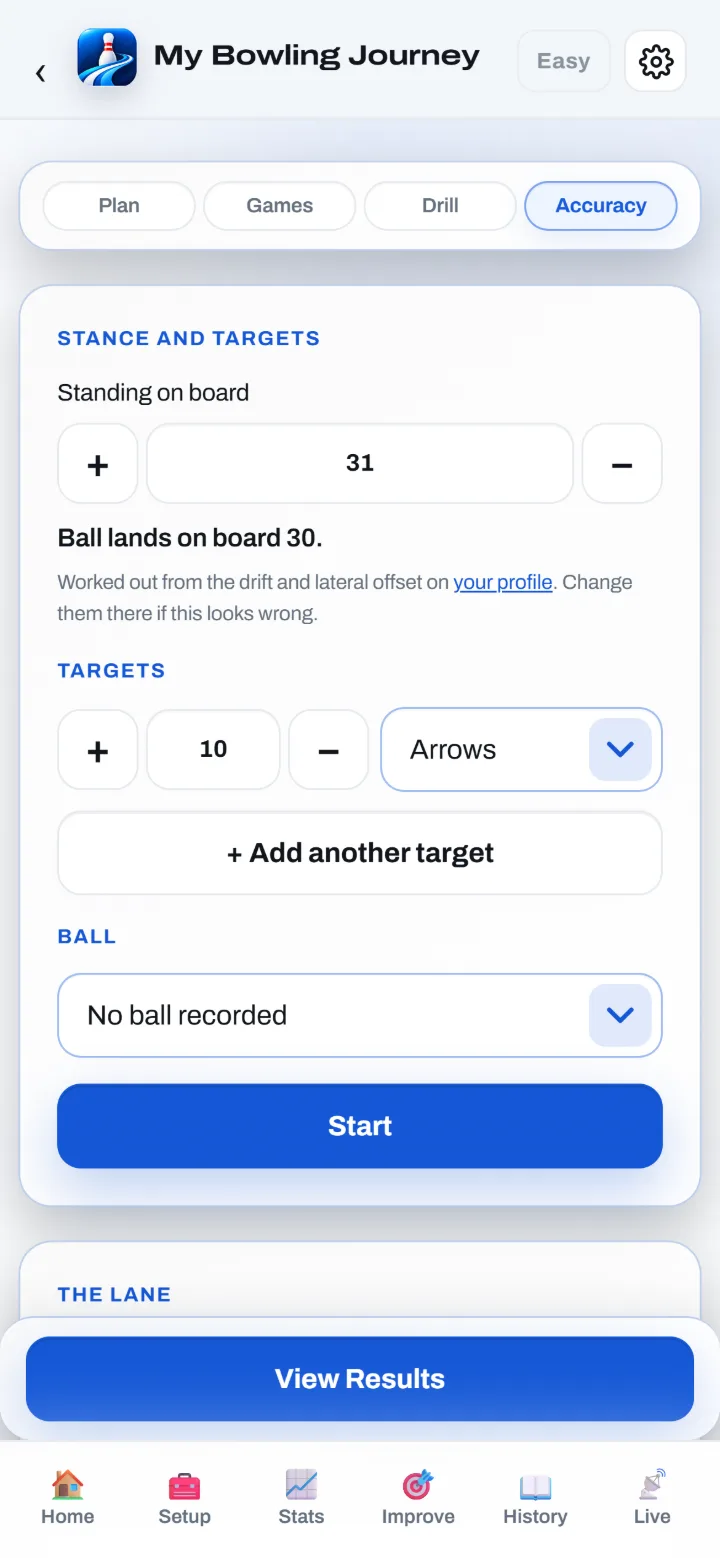
- On Home, tap Practice, then Accuracy.
- Under Stance and targets, set Standing on board with − and +, or type the board. It starts where you usually stand, from the starting board in your frames' details, or board 18.
- Under it, the app works out where the ball lands, like "Ball lands on board 30." That comes from the drift and lateral offset on your profile: tap the link to change them if it looks wrong. See Your profile.
- Under Targets, set the board you're aiming at, then where on the lane: Dots, Arrows, Near range finders, Far range finders or Feet (any distance, typed in feet). The first target starts at 10 at the arrows.
- Want to aim at more than one spot, say the arrows and the breakpoint? Tap + Add another target. ✕ takes a target out. Two targets can't be the same distance down the lane.
- If you have balls set up, pick the one you're throwing under Ball.
- Tap Start.
If your targets add up to a line a ball can't throw, a ball hooking back the wrong way, a warning says so. It won't stop you.
On a left-hander's phone the + and − swap sides and the lane is drawn from your side.
Log your shots
After Start, the Shots card counts up: "Shot 1", "Shot 2" and so on, with your stance and landing board under it.
- For each target it shows the board you're aiming at, like "Target: board 10", and asks where the ball crossed, like "Where did it cross the arrows?"
- Set the board with − and +. The first shot starts on your target. Every shot after starts where the last one crossed, since misses come in runs.
- Tap Save Shot. Each shot is saved as you go.
- Undo takes back the last shot.
After each shot you see how far off you were at each target, like "Arrows: 2 boards left" or "on the board". Three tiles keep the running count: Shots, On the board and Within 1 board. A shot aimed at two targets counts as two crossings. After 5 shots, a line for each target gives your tendency, like "You're missing right at the arrows, 1.4 boards on average".
- To fix a shot, tap Edit a shot, then Edit beside it. Set its boards and tap "Update shot 3", or Cancel.
- To aim somewhere new, tap Change targets. The set you've thrown is kept, and a new set starts from the same stance and targets, ready to change.
The lane
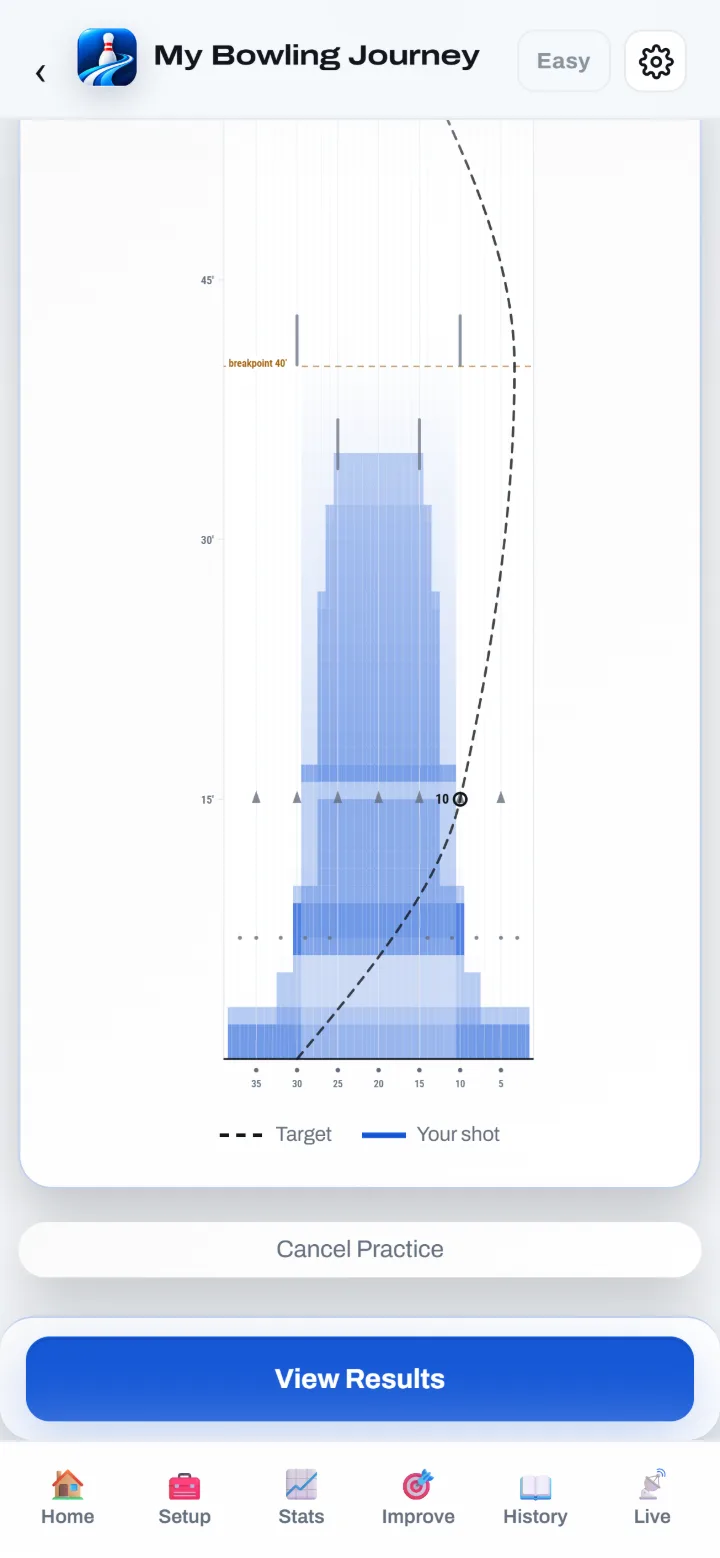
The lane draws the set: your target as a dashed line, your shot as a solid one, a ring at each target and a dot where the ball crossed.
- This shot shows the latest shot. All shots adds every earlier one, faintly, underneath.
- Once you've thrown more than one set in this practice, a list over the lane lets you look back: This set, or "Set 1 · 10 at the arrows" and the rest, with how many shots and how often it was on the board.
- The oil drawn on the lane is the pattern under the practice's Lane Conditions on Plan, or the house shot.
Results
On the practice's Results, each set gets its own Accuracy card: "Set 1 · 10 at the arrows", your stance and landing board, the three tiles, your average miss at each target ("1.4 boards right on average", or "On the board on average"), and the lane with every shot. See Practice Recap and Drill Recap.
Your Accuracy sets also feed Insights, and the practice plan adds an Accuracy block when your last set missed at the arrows. See The Practice Plan.
Cancel Practice, at the bottom of the tab, deletes today's Accuracy sets with the rest of the practice. It asks first.