 MY BOWLING JOURNEY
Profile is you as a bowler: your name, your hand and how you throw. The app uses it to name your pins, draw your line and put you on your team's roster.
- Tap the gear at the top right of any screen.
- Tap Profile.
Every card on Profile starts open. Tap a card's name to fold it, and this phone remembers.
Your Name
Your Name is what teammates and friends see on the roster and in Friends.
- Tap Edit.
- Type your name, up to 40 characters.
- Tap Save, or Cancel to leave it as it was.
Changing your name needs a connection. Everything you've logged moves to the new name with it.
Scorecard Names sits inside this card. See Scorecard Names.
Your bowler card
The next card is titled with your name. Its heading shows your hand and style, like "Right-handed · One-handed".
Handedness
Tap Right-handed or Left-handed. A lefty's corner pin is the 7, not the 10, so this decides which pins the app calls your corner pin and pocket, and which way your line is drawn on the lane.
Strike ball
- Normal right-hand hook (Normal left-hand hook for a lefty): the usual shot.
- I throw a backup ball: your ball goes out the other way and hooks back. For a right-hander, your corner pin is then the 7 and your pocket is the 1-2. Every leave, split and lane drawing flips to match. You're still right-handed everywhere the app says so.
Delivery
Tap One-handed or Two-handed / no thumb. It goes on your Pro Shop Card, and it sets the drift and lateral offset the app uses when you leave those boxes empty.
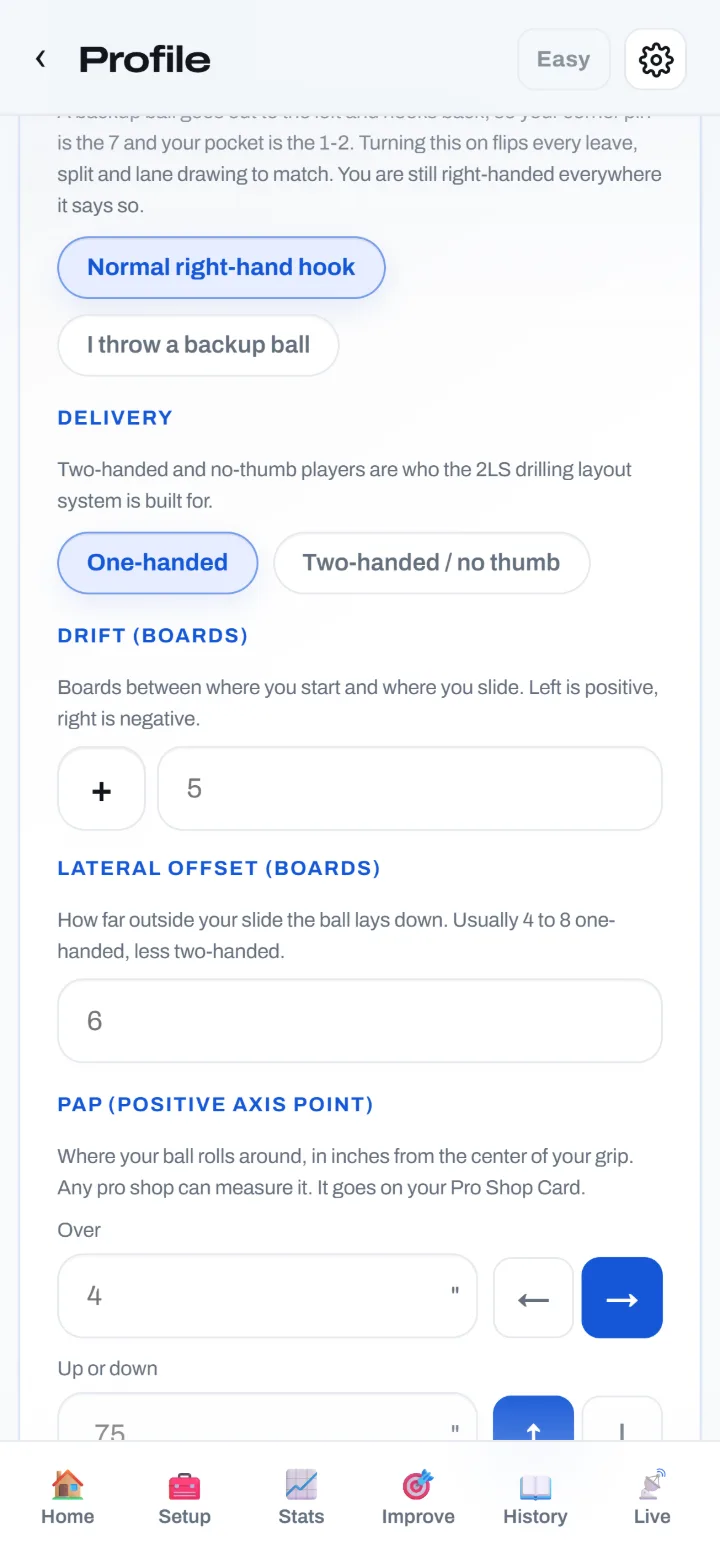
Drift and lateral offset
These two put your ball where it really lands when the app draws your line.
- Drift (boards): the boards between where you start and where you slide. For a right-hander, left is positive and right is negative; a lefty's is the other way round. Your number keys have no minus, so tap the + beside the box to make it a minus, and tap it again to go back.
- Lateral offset (boards): how far outside your slide the ball lays down. Usually 4 to 8 boards one-handed, less two-handed.
Leave a box empty and the app uses a usual number for your style, shown in grey: drift 5 and offset 6 one-handed, drift 10 and offset 2 two-handed.
PAP
PAP (positive axis point) is where your ball rolls around, in inches from the center of your grip. Any pro shop can measure it, and it goes on your Pro Shop Card.
- Under Over, type the inches, then tap the left or right arrow.
- Under Up or down, type the inches, then tap the up or down arrow.
The other cards on Profile
- Coaching: I bowl or I coach. See Coaching your bowlers.
- Book Average: last season's average and your best ever game and series. See Book Average.
- Home Centers: the centers you bowl at. Tap + Add a Center to add one. See Bowling centers.
- Compare with other bowlers: see Your privacy.
- Ask for shot details after every first ball: see Ask for shot details after every first ball.