 MY BOWLING JOURNEY
On Android and iPhone, the app can remind you before league night so you remember to track it. The phone sets the reminder itself, so it comes even when the app is closed.
The league night reminder
It comes an hour before your league starts: at 6:00 PM for a 7:00 PM start. Every league starts at 7:00 PM until you change it in Settings > Notifications. It's called League night and names your league: "Tuesday Night Mixed is tonight. Log it as you bowl." Tap it to open the app on Home.
- Every league you're in gets one, unless you turn it off.
- A league you sub in is the other way round: off unless you turn it on.
- It only comes during your league's season. Once the season's end date in Setup > League has passed, it stops.
- The app needs to know your league night. You tell it when you add or join the league (Which night do you bowl?, with Starts at), and your saved nights or your league's start date can tell it too. Added your league before the app asked? Home asks once. Tapped Skip? Pick the night in Settings > Notifications. Until it knows, there's no reminder.
Saying yes
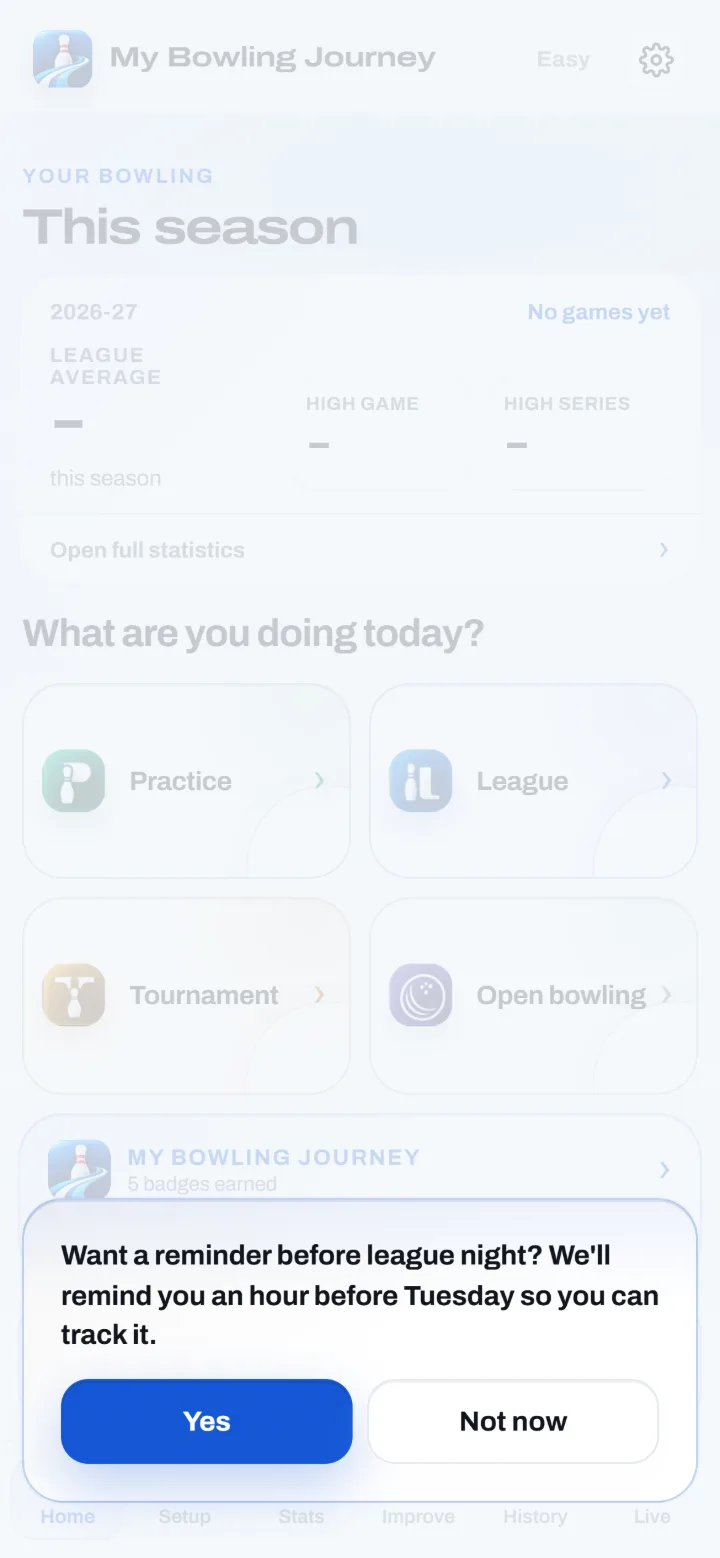
The app asks you once if you want a reminder on league night. It asks at the first of these moments:
- Right after you add or join a league (with a league code too) and say which night you bowl.
- On Home, once the app knows your league night.
- On Results, after you tap Save and end league night (in Easy mode, after Save League).
It never asks while you're scoring. If your phone already lets the app send notifications, it doesn't need to ask at all.
- Tap Yes.
- Your phone asks if the app can send notifications. Allow it.
That's it. Not now means the app won't ask again, but you can still turn notifications on later in Settings > Notifications.
Settings > Notifications
- Tap the gear at the top right of any screen.
- Tap Notifications.
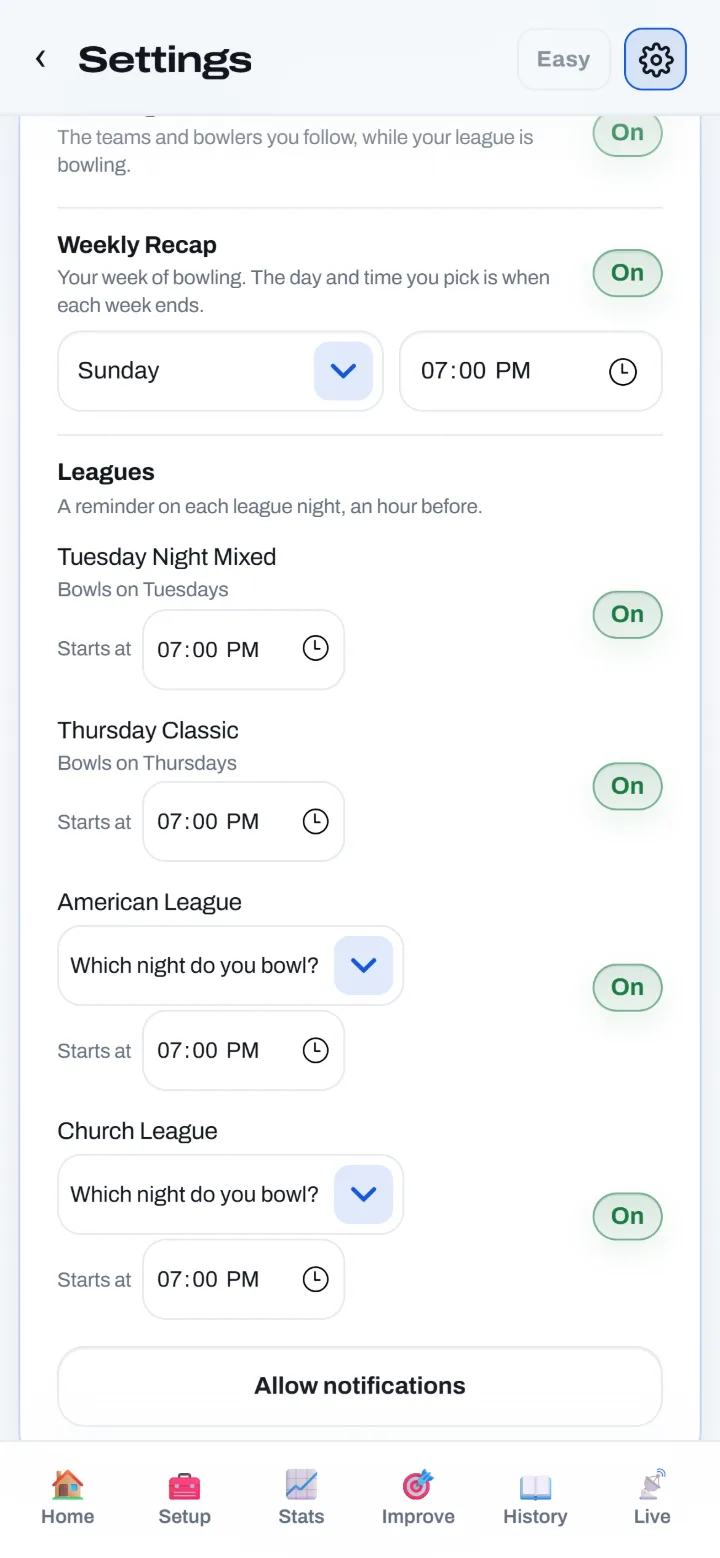
Here's what's on it:
- Requests from people, Imported scores, Coach activity and Live League alerts, each with On or Off.
- Weekly Recap: On or Off, with a day and time. That day and time is when each of your weeks ends, and when your phone tells you the recap is ready. It starts as Sunday at 7:00 PM. It only tells you in a week you bowled or practiced.
- Leagues: a line for each league with On or Off. Under the name it says which night it bowls, for example Bowls on Tuesdays. Until your saved nights show the night, pick it in Which night do you bowl? right there. Starts at is when the league starts, 7:00 PM to begin with. Tap it to set your league's time, and the reminder comes an hour before.
A league you've hidden isn't listed and isn't reminded.
Your phone's own setting
One permission on your phone covers all of these. If it's off for the app, nothing comes, however the switches here are set. When it's off, the Notifications card tells you where to turn it on:
- Android: open your phone's Settings, then Apps, then My Bowling Journey, then Notifications.
- iPhone: open Settings, then Notifications, then MBJ.
If your phone hasn't been asked yet, the card has Allow notifications. Tap it to ask now.
Other reminders
- During your first 30 days with Pro, if you haven't subscribed, your phone reminds you 3 days before Pro ends: 3 days left of Pro.
- The example account's leagues never get reminders.
On the website
Reminders come from the phone apps only. The website can't send them, so it has no Notifications in Settings.
Instead, once your saved nights show which night your league bowls, Setup > League > My leagues shows Add weekly reminder for that league. It saves a weekly calendar event for your league night, starting at 7:00 PM (or the start time you set for the league in the phone app), with an alarm an hour before. Open the file to add it to your calendar.