 MY BOWLING JOURNEY
A league code puts a bowler straight into your league: the same league as you, with its center, season dates and settings already there, and its teams to find. No searching for the center, and no second copy of the league. Every league has one, and only bowlers in the league can see it.
A league code gets someone into the league, not onto a team. A team has its own join code. See Joining a team.
Share your league's code
- Go to Setup > League > My leagues and pick the league.
- The code is under the league's name: "League code: text it to bowlers in your league so they can join".
- Tap Copy and paste it in a text. The button says Copied for a moment.
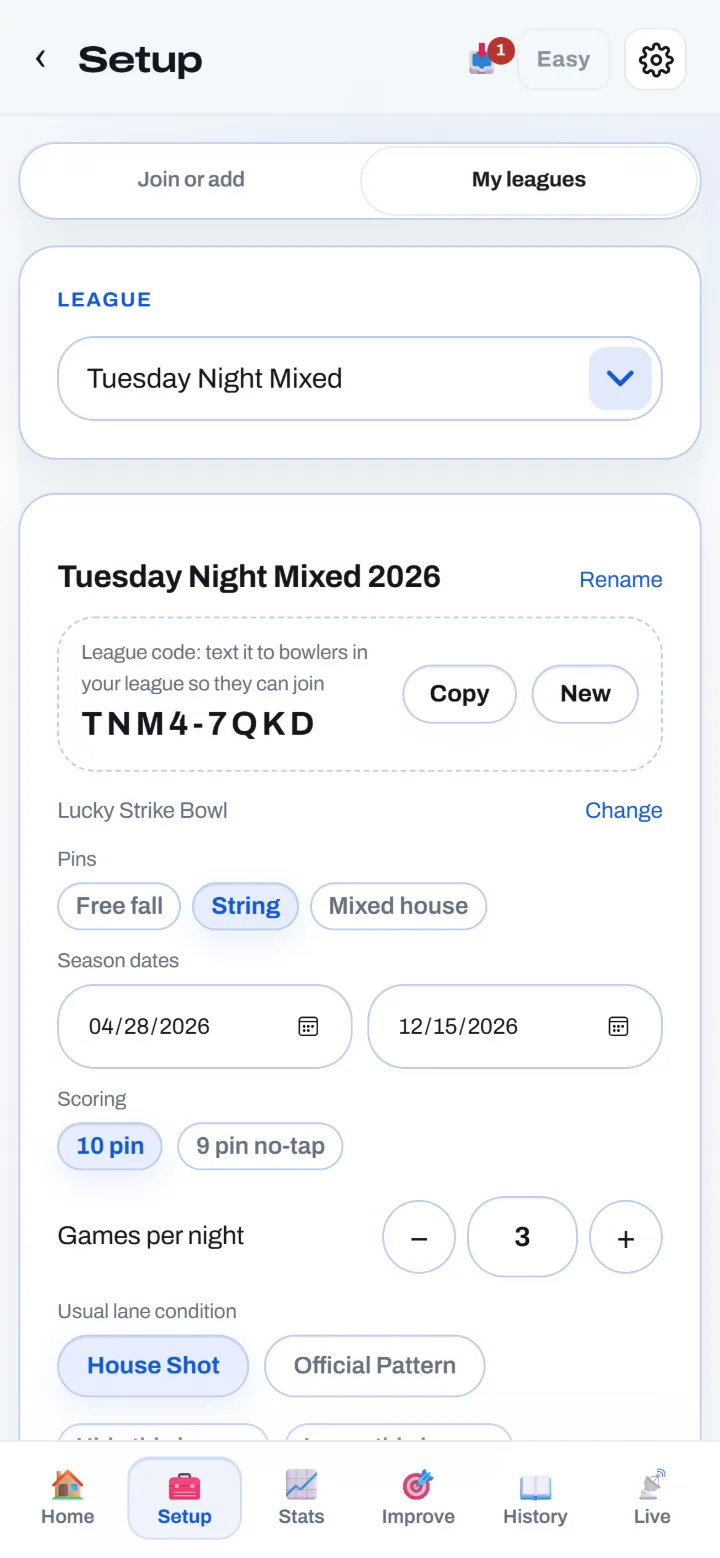
The box shows once the app has the code from the cloud. With no signal, it isn't there.
Enter a code you were sent
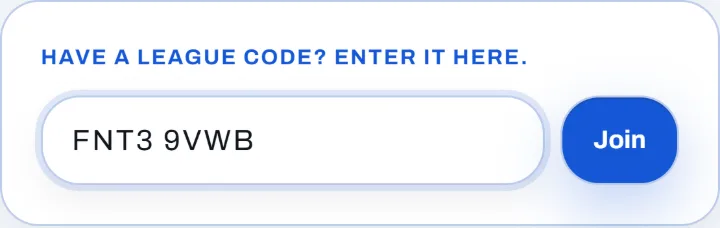
- Go to Setup > League > Join or add.
- Under Have a league code? Enter it here., type the code and tap Join. Small letters, spaces and a missing dash are fine.
- Which night do you bowl? Tap your league night, change Starts at if it doesn't start at 7:00 PM, and tap Save, or tap Skip. Your league night reminder uses it. A league whose night you already picked isn't asked again.
- On a phone, the app may ask if you want a reminder before league night, like "Want a reminder before league night? We'll remind you an hour before Tuesday so you can track it." Tap Yes or Not now. It asks only once, and only while you haven't yet allowed or blocked the app's notifications.
- The league opens on My leagues.
Not on a team in that league yet? The Now your team card comes up too, once, to ask to join your team, join with its code or make it. See Adding your first league, team and bowlers.
What the app can say:
- "You're already in Tuesday Night Mixed."
- "That code didn't match a league. Check it with whoever sent it."
- "Too many tries. Wait a little and try again."
- "Couldn't join just now. Check your connection and try again."
- "You already have a league with that name. Rename yours first, then join this one.": you added a league of your own with the same name. Rename yours on My leagues, or combine the two (see Managing your leagues).
Make a new code
Sent the code somewhere you shouldn't have? Make a new one.
- Go to Setup > League > My leagues and pick the league.
- Tap New beside the code.
- The app asks first: "Make a new code? The old one stops working, so anyone you sent it to will need the new one." Say yes.
The new code is the league's, so everyone in the league sees it in place of the old one. Bowlers already in the league stay in.
Free and Pro
The code box is on Join or add while you have room for another league. The free plan covers one league, so once you have it, More leagues shows there instead. See Managing your leagues.