 MY BOWLING JOURNEY
Every way onto a team has a yes in it: a code someone on the team gave you, a request someone on the team approves, or an invitation you accept. Joining a team adds its league to yours too. Your teammates see the nights you bowl for the team, not the rest of your bowling.
Right after you add a league, the Now your team card offers the same ways in: see Adding your first league, team and bowlers. Everything else is on Setup > Team > Join or add.
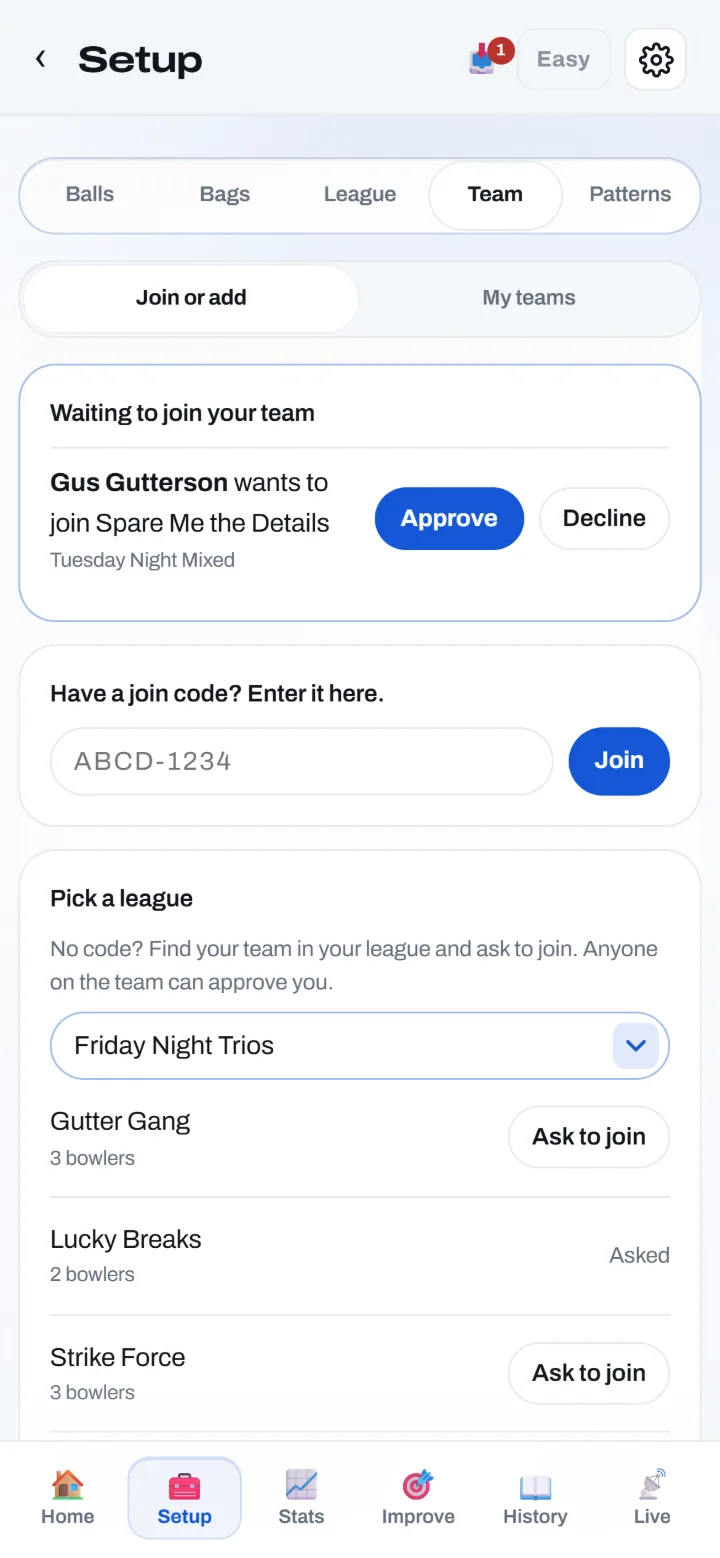
With a join code
- Get the code from anyone on the team. It's on their Setup > Team > My teams.
- Go to Setup > Team > Join or add.
- Under Have a join code? Enter it here., type the code and tap Join.
- You're on it: "You're on Spare Me the Details (Tuesday Night Mixed)." My teams opens on the team.
A code made for your own spot on a roster (see Adding a teammate who isn't signed up) works in the same box, and puts you in that spot.
What else it can say:
- "That code didn't match a team. Check it with whoever sent it."
- "Too many tries. Wait a little and try again."
- "Couldn't join just now. Check your connection and try again."
Ask to join
No code? Find your team in your league and ask.
- Under Pick a league, pick the league. Only your own leagues are listed. With none, it says "Join your league on the League tab first, then find your team here."
- The league's teams are listed, each with how many bowlers it has. A team you're on says Your team.
- Tap Ask to join beside your team. It changes to Asked.
Under the list, your request waits: "Asked to join Spare Me the Details. Waiting for someone on the team to approve." Tap Withdraw to take it back. Anyone on the team can approve you, and once they do, you're on it.
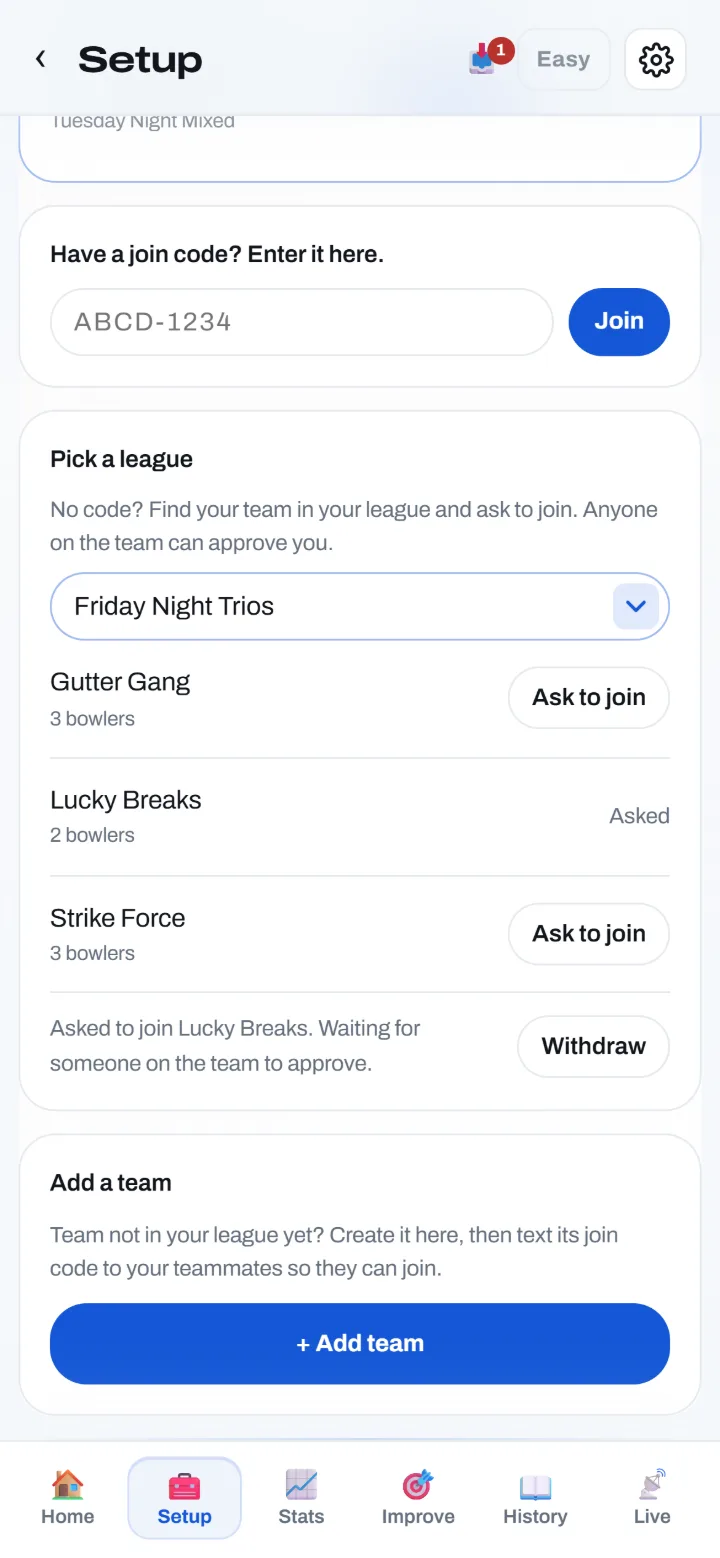
Setup > League has Ask to join too, beside each team in the league.
With no teams in the league yet: "No teams in this league yet. You can make one with Add team." See Your team and roster.
When someone asks to join your team
Requests wait at the top of Setup > Team, under Waiting to join your team, like "Gus Gutterson wants to join Spare Me the Details". They're in your Inbox too.
- Tap Approve to put them on the team, or Decline.
- Anyone on the team can answer. The first answer counts.
Your phone can tell you when one comes in: Requests from people in Notifications.
Sometimes a yes can't put them on:
- They're on another team in the league by now: "Gus Gutterson is on another team in this league, so they can't join yours."
- They're on the free plan and already on another team: "Gus Gutterson is already on another team. The free plan covers one team." The request stays, so you can Decline it, or approve it once they're on Pro or off the other team.
Invitations
When a team adds you to its roster with your email, the invitation waits in your Inbox under Team Invitation, like "Join Spare Me the Details?", with the name and place in the order they gave you.
- Tap Join team to take the spot, or No thanks.
- Joining makes the spot yours, with the games your teammates logged for you there. The app says "You've joined Spare Me the Details. It's on the Team tab in Setup."
What every way in checks
- The free plan covers one team. Already on a team, a team you sub for included? Joining another, with a code, Ask to join or an invitation, stops with "The free plan covers one team, and you're already on one. Joining another is part of Pro."
- One role per league. On a team in a league, you can't join or ask to join another team in that league: "You're on Spare Me the Details in this league, so you can't sub for another team here." See Bowling on more than one team.
- Blocks. If you've blocked someone on a team, or they've blocked you, you can't join that team. See Blocking and reporting a bowler.
Joining a team never takes you off another one.