 MY BOWLING JOURNEY
What you noticed tonight is worth more next week than any number. The app has a place for a note on the night, on a single ball, on a tournament block and on the whole tournament.
Session Notes on a league night
- On a league night, tap the Results tab.
- Scroll to the bottom and tap Session Notes to open it.
- Type how the night went: what the lanes did, what you moved, what to try next time.
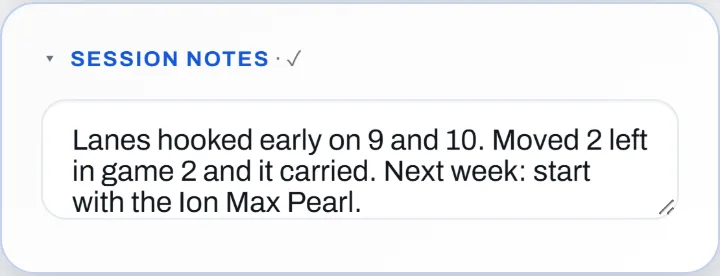
The note is saved with your night when you tap Save and end league night. When you open the night again from History, your note is back in the box. To remove it, empty the box and save the night again. A ✓ beside Session Notes means the night has a note.
Practice and open bowling nights have no Session Notes box. In practice, a drill has its own notes box, "Shot notes: what worked on this drill…", on the Drill tab.
A note on one ball
The details sheet after each frame has a Notes section for that one ball, like "moved 2 left after this". See Details: ball, surface and where the ball went.
Tournament notes
- Day Notes: under a block's games on its scoring stage, for that block: transition, ball reaction, what worked. The box is there when you type the block's game scores. A block scored frame by frame doesn't show it.
- Tournament Notes: near the bottom of the tournament's Results, for your overall takeaways from the event.
- How it finished: once you pick a finish under How did it finish? (anything but Didn't cash), a box asks Anything worth remembering about it?
Where your notes show up later
- History > Journal: every note you've written, newest first, each with its night. Tap a kind at the top to see only those: Shot, League night, Practice (your drill notes), Tournament block, Tournament review or How it finished. See History: Journal.
- History > Calendar: tap a day, and each night under the calendar shows its Session Notes first, then the notes on its balls. See History: Calendar.