 MY BOWLING JOURNEY
Season is the second tab of History: your bowling on one card, to look at or send to someone.
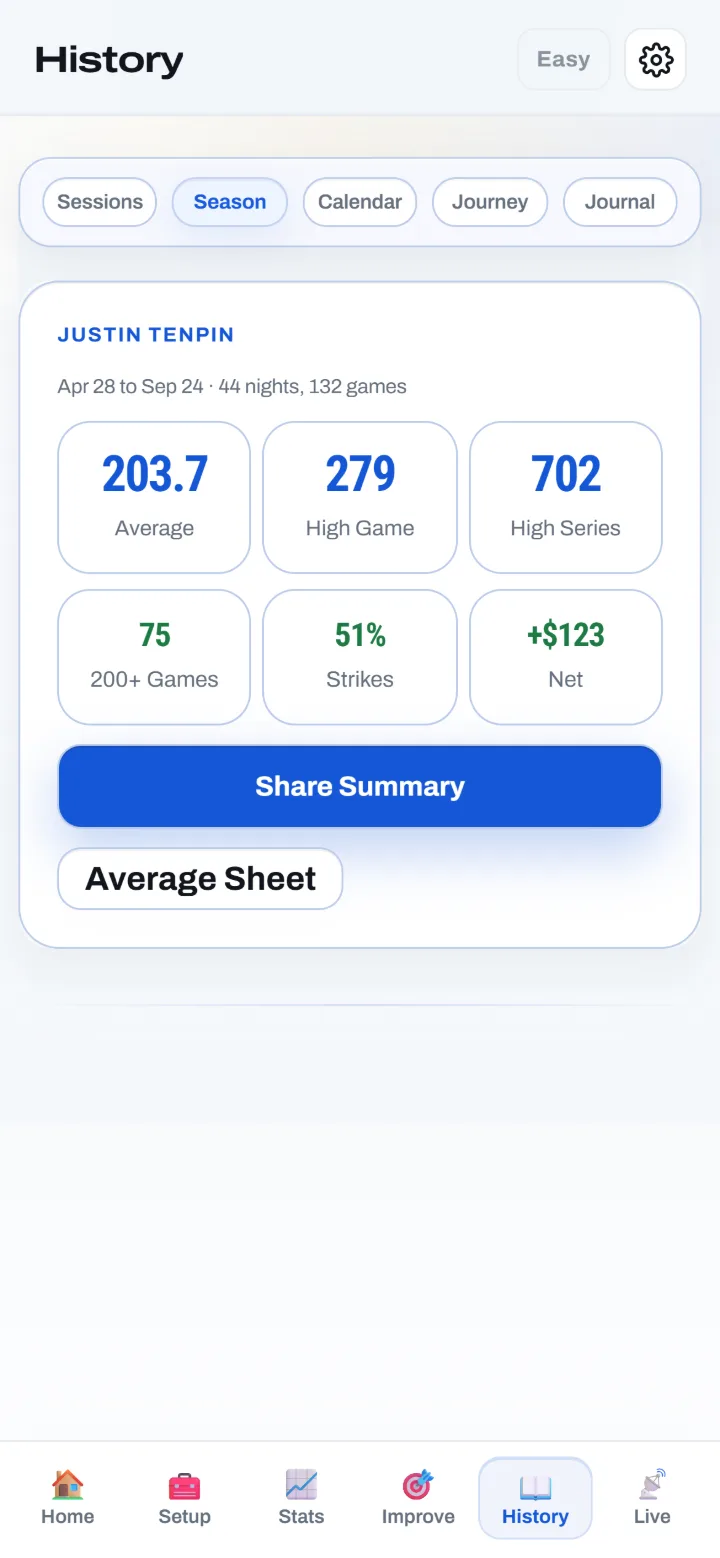
What's on the card
At the top are your name, and the league when you've picked one. Under it are the dates of the first and last nights it counts, and how many nights and games, like "Apr 28 to Sep 24 · 62 nights, 179 games".
- Average: to one decimal place, like 203.1.
- High Game: your best game.
- High Series: your best league series: a league night with all of its games, three in a 3-game league, four in a 4-game league (Games per night in Setup > League). A short night, a tournament day or a practice isn't one.
- 200+ Games: how many games of 200 or more.
- Strikes: the share of first balls that were strikes, on nights you scored frame by frame. It isn't there when every night was typed game scores.
- Net: what you won in side games minus what you paid in, once you've played any. Green when you're up, red when you're down.
With nothing to count, the card says "No sessions yet for this bowler and league."
Which nights it counts
The card follows the Filter on the Sessions tab.
- With a league or team picked, it's every night you've saved in that league.
- With All teams (or Tournament), it's your league nights and tournament days. Practice, open bowling, 9-pin no-tap nights and nights you bowled as a sub stay out. Pick a no-tap league in the Filter to see its own numbers.
It isn't cut to this season's dates. It runs from your first night to your latest.
For this season's league play only, look at Home: its season card shows This season, or Your career when none of your leagues' seasons is on, marked Between seasons (or All league play when none of your leagues has Season dates set). See Home and the bottom tabs.
Share Summary
Tap Share Summary to send the card as a message: your name and league, nights and games, average, high game and high series, games over 200, strikes and spares, and how you did on side games. It opens your phone's share sheet. Where it can't, it copies the message, and the button says Copied to clipboard for a moment.
Average Sheet (Pro)
Average Sheet, under Share Summary, opens a one-page picture of your league averages to hand to a tournament desk or a league secretary, for This season or Last season, with Share the sheet. On the free plan, it tells you the Average Sheet is part of Pro. See The Average Sheet.