 MY BOWLING JOURNEY
Once you tap Start tournament, the event opens on its first stage. The card at the top has the event's name, a line under it, Set up in the corner, and a row of stages. The row only has the stages your event really has, in the order you bowl them.
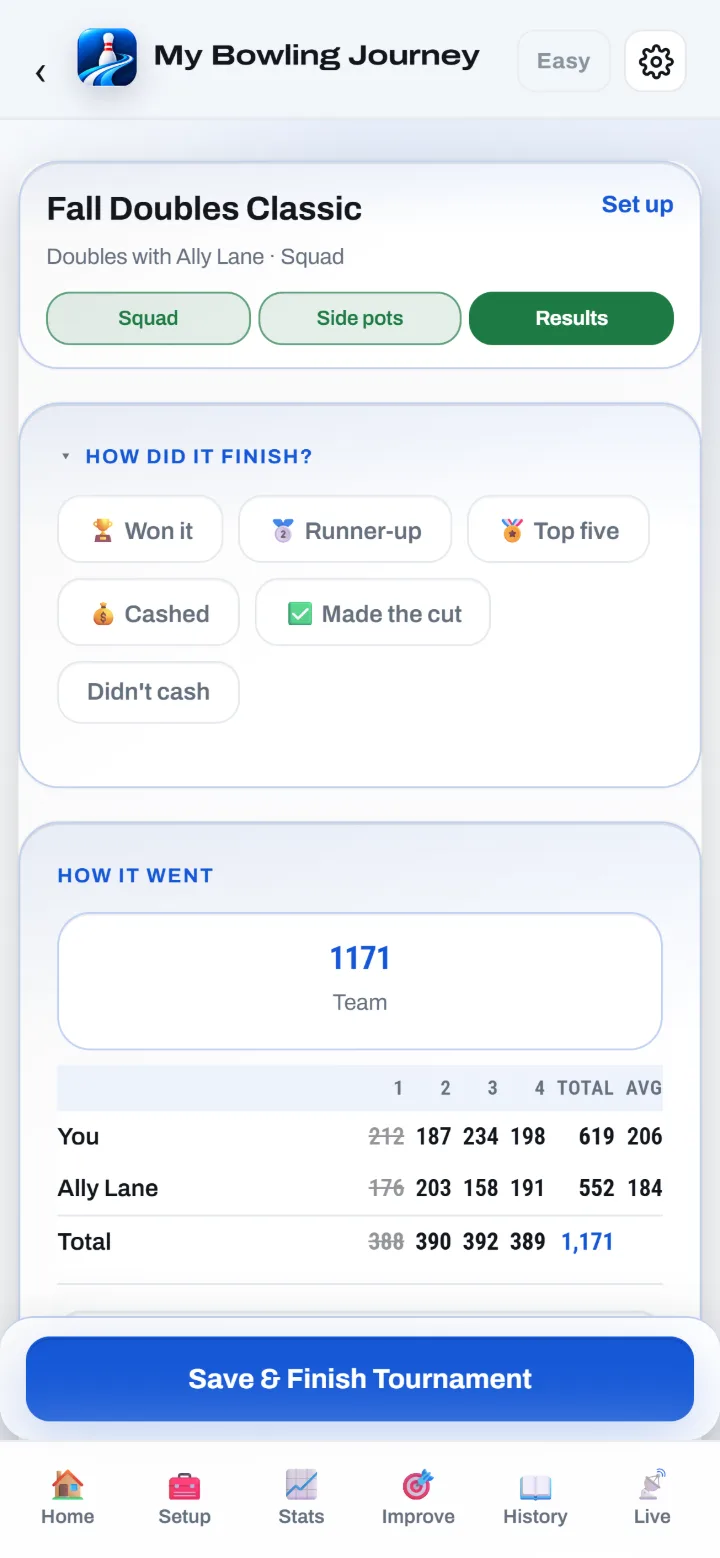
The stages
- Squad, "Squad B" with several squads, or "Block 1", "Block 2" and so on for blocks over days. With separate events, a stage for each: Team, Doubles, Singles.
- Cut: when a cut comes after qualifying.
- Match (match play), Ladder (the stepladder) and Finals, in the order you picked them. A block after the cut is a block like the rest.
- Brackets or Side pots: when you picked side action.
- Results: always last.
What the colors mean
- Green: done. A squad or block is done when every game is in, the cut when you've answered it, match play when its games are bowled, the stepladder and finals when they're decided.
- Blue: the stage you're on now.
- Gray: still to come.
The stage that's open is filled in. Tap any stage to open it, done or not.
If you miss the cut (or the ladder cut in match play), or once the stepladder or the finals are decided, the stages after it stay gray and Results is next. When there's nothing left to bowl or decide, Results turns green too.
Moving on
- When a stage is done, a button under it opens the next one, like "Next: Match play" or Next: Results.
- When the last game of the event is in, Results opens by itself.
- On a stage you score by game totals, the bar at the bottom has View Results. It saves the event as it stands and opens Results. Scoring frame by frame, the pin deck is at the bottom instead: tap Results in the row.
The line under the name
Before the cut, it says what the event is, like "Doubles with Ally Lane · Squad". After you've made the cut, it says how you got through and your qualifying pins, like "Made the cut, 11th of 16 · 2,489 total pins" on match play.
Scoring frame by frame, the card folds to one line to leave room for the scorecard: the name and, on a squad or block, your pins so far, like "597 +114 = 711" with handicap. After the cut, it has the "Made the cut" line instead.
Set up
Tap Set up in the corner to see your answers or change them. Back to the tournament takes you back to the stage you're bowling. See Editing or deleting a tournament.
Coming back to it
- Close the app mid-event and the tournament is still there. Tournament on Home opens it on the stage you're bowling. One set up for a later date opens on Set up.
- The line at the foot of Home shows the event: Now · while it's under way today, Upcoming · before it starts. Tap it to open it.
- Overnight, a tournament still open is saved as it stands. For the next day of a multi-day event, open it from that line on Home or from History's Calendar.