 MY BOWLING JOURNEY
Set up is the first tab of a league night. It's where you tell the app which night this is, who you're scoring and how. Everything is on one card, Tonight's Session, open when the night starts. Its heading shows the league and the date; tap the heading to fold the card.
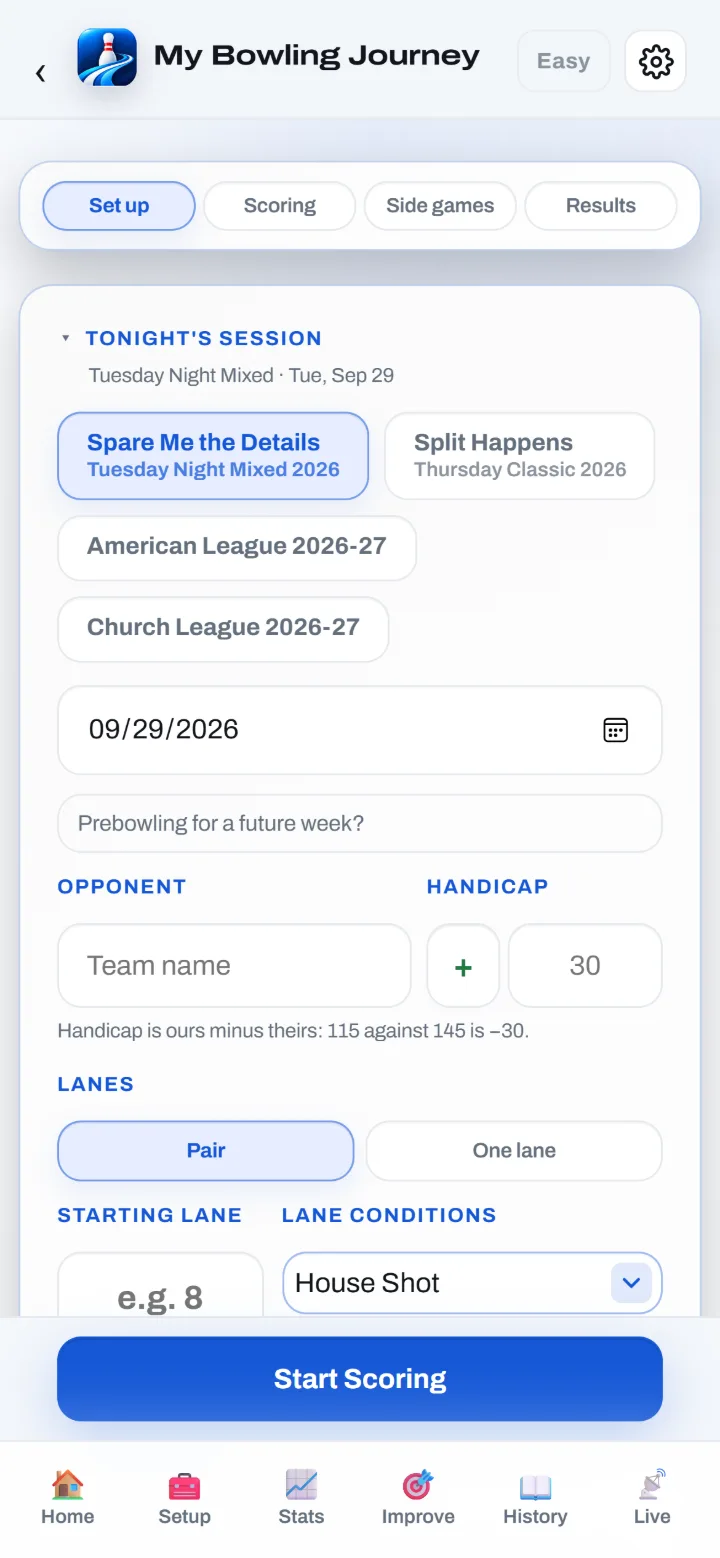
League, team and date
Tap tonight's league and check the date. All of it is on Starting a session. Bowling a future week's games early? Tap Prebowling for a future week? under the date. See Prebowling a future week.
Opponent and handicap
Both are optional.
- Opponent: the other team's name.
- Handicap: the difference between the two teams' handicaps, yours minus theirs. Yours 115 against their 145 is minus 30. Yours 115 against their 100 is plus 15.
- A phone's number keys have no minus, so the sign is its own button beside the box. Tap the + to make it a minus, and tap again to go back.
Lanes
- Lanes: Pair or One lane. This is your league's setting. Change it on any night and it holds for that league's nights from then on.
- Starting Lane: the lane you start on. On a pair, both lanes show under it, like "Lanes 7 & 8". With One lane, the box is called Lane.
Lane conditions
- Under Lane Conditions, pick House Shot or Official Pattern.
- With Official Pattern, boxes open underneath for the pattern's name, length, volume and ratio.
- Bowling two patterns? Once a starting lane is typed on a pair, tick Different pattern on each lane to set each lane on its own.
If the league has a usual pattern, a line under the lanes names it. What you set here is for tonight only.
Lane Recall and Pattern Recall (Pro)
If you've bowled this pair (or lane) at this center before, Lane Recall shows when, your score, where you stood and what you threw. Pattern Recall does the same for tonight's official pattern, wherever you bowled it. On the free plan, the card says you've bowled there before and offers See what Pro adds.
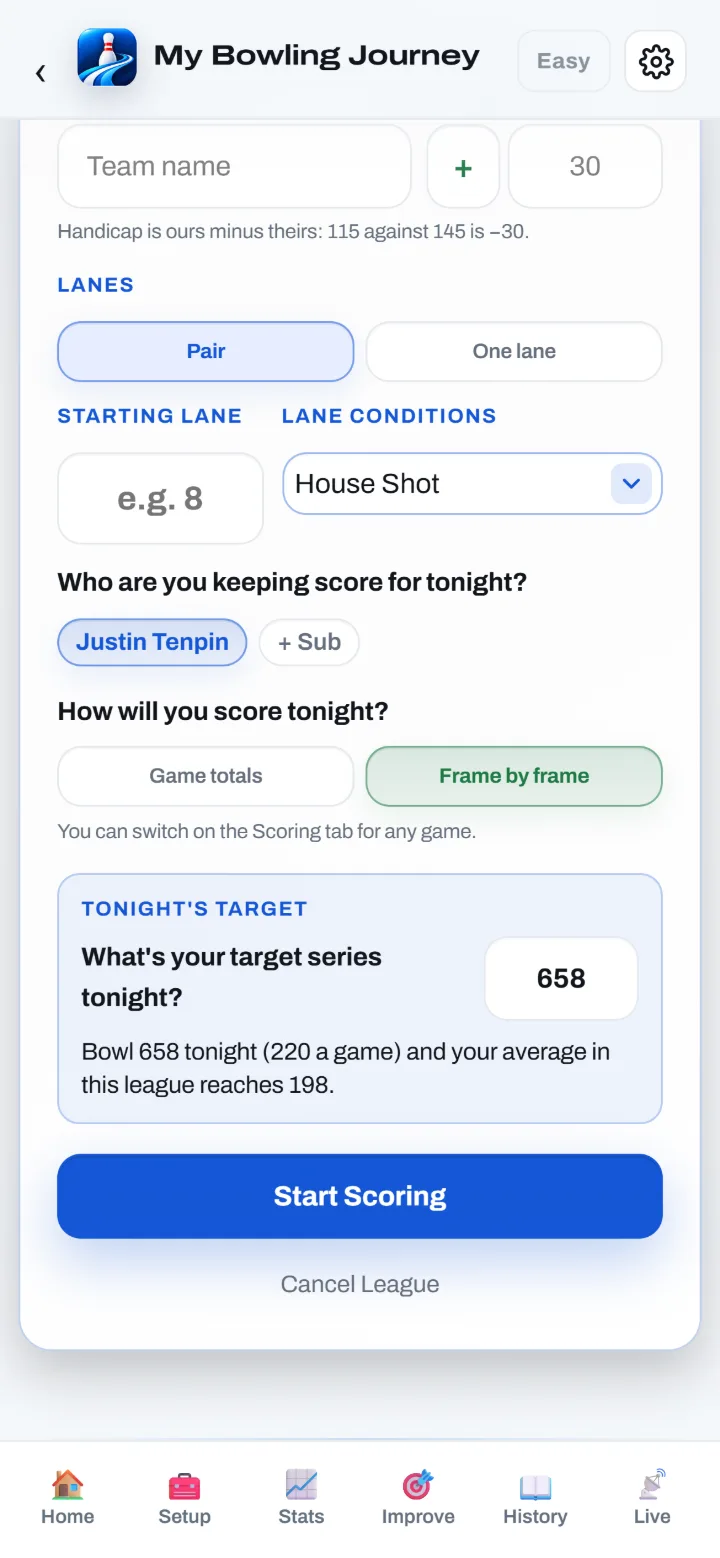
Who are you keeping score for tonight?
- Your own chip is always on.
- Your teammates are listed in lineup order. Tap each one you're scoring on this phone tonight; tap again to take them off.
- + Sub: type the sub's name in Sub's name and tap Add. A name already on your team is that teammate. A friend's name is that friend. Anyone else is kept on this phone only: their frames, game scores and night never go to your account. A sub's nights stay out of the team's combined average.
- To change the lineup order, use the Team tab in Setup.
More on scoring teammates: Scoring for a team.
How will you score tonight?
- Game totals: type each game's final score.
- Frame by frame: enter every ball on the pin deck.
You can switch on the Scoring tab for any game, and this phone remembers your choice for next time. What each one gives you: Frame Tracking or Game Tracking.
Tonight's Goal
Tonight's Goal shows for tonight or a night ahead, never for a past night you're filling in. The suggestion and your own goal are Pro.
- What's your series goal tonight? The box starts at the app's suggestion. Type your own series to use it instead. It's for tonight only.
- Leave the box as it is and nothing is saved, so next week's suggestion is worked out fresh. Empty the box to go back to the suggestion.
- The suggestion is the series that lifts your average in this league to the next 5-pin mark (200, 205 and so on), or by one pin when that mark is out of reach. If neither is within reach, there's no suggestion. A line under the box says it: "Bowl 658 tonight (220 a game) and your average in this league reaches 198."
- A second line may name a teammate you could pass tonight: "Outbowl (name) by 12 pins tonight to move ahead of them on your team", or "to take your team's high average" when they have the top average on your team.
- It uses this league's season only, and it needs three of your nights in this league this season before it suggests anything.
- On the free plan, once you have an average in this league this season, the card gives you that average over tonight's games as your goal: "Goal 594: your average in this league over tonight's games." Under it: "Pro finds the series that lifts your average, and lets you set your own." with See what Pro adds. With no average yet, it says what Pro's target does.
Your goal then shows as a bar on Scoring as you bowl. See The pin deck.
Start Scoring
Tap Start Scoring to go to Scoring. It doesn't save anything, so you can come back to Set up any time. While the button is below the bottom of the screen, a copy of it stays above the tab bar.
Cancel League
Cancel League, under Start Scoring, throws tonight away. It asks first.
- Tap Cancel League.
- Read what goes: tonight's shots, game scores and match points in this league, for you and every teammate you scored on this phone tonight, frame by frame or with typed game scores. It names each of them. If a teammate already saved tonight in this league, the match points stay. The setup is cleared and you go back to Home. This can't be undone.
- Tap Delete and exit, or Keep bowling to back out.