 MY BOWLING JOURNEY
One photo of the scorecard can do the whole team. Import a card with your teammates' names on it, and each of them gets their own games.
Reading a scorecard photo is part of Pro. Checking scores a teammate sent you is free.
Send them
- Import the card the usual way. See Importing a scorecard photo or scores.
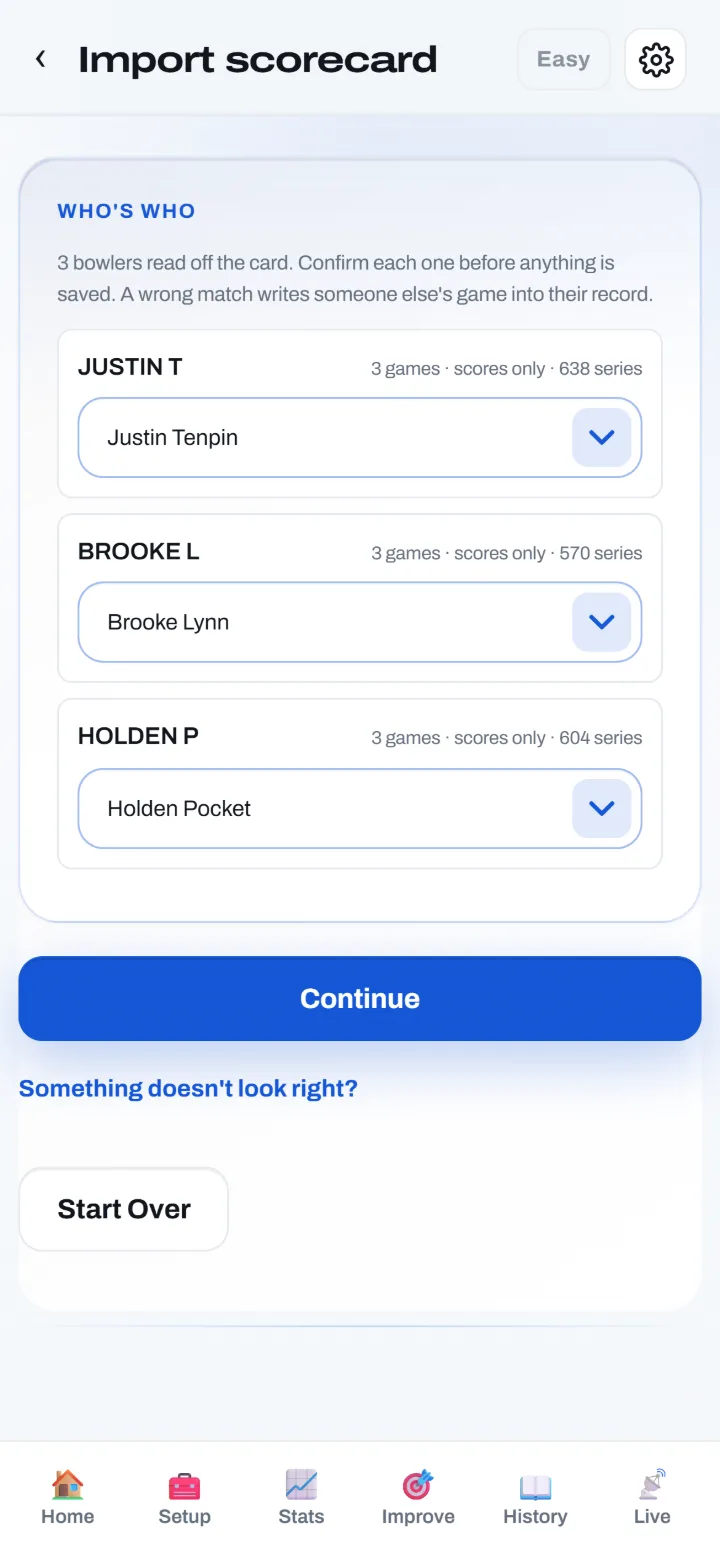
- On Who's who, pick each teammate for their column. Skip this bowler for anyone who isn't yours to send.
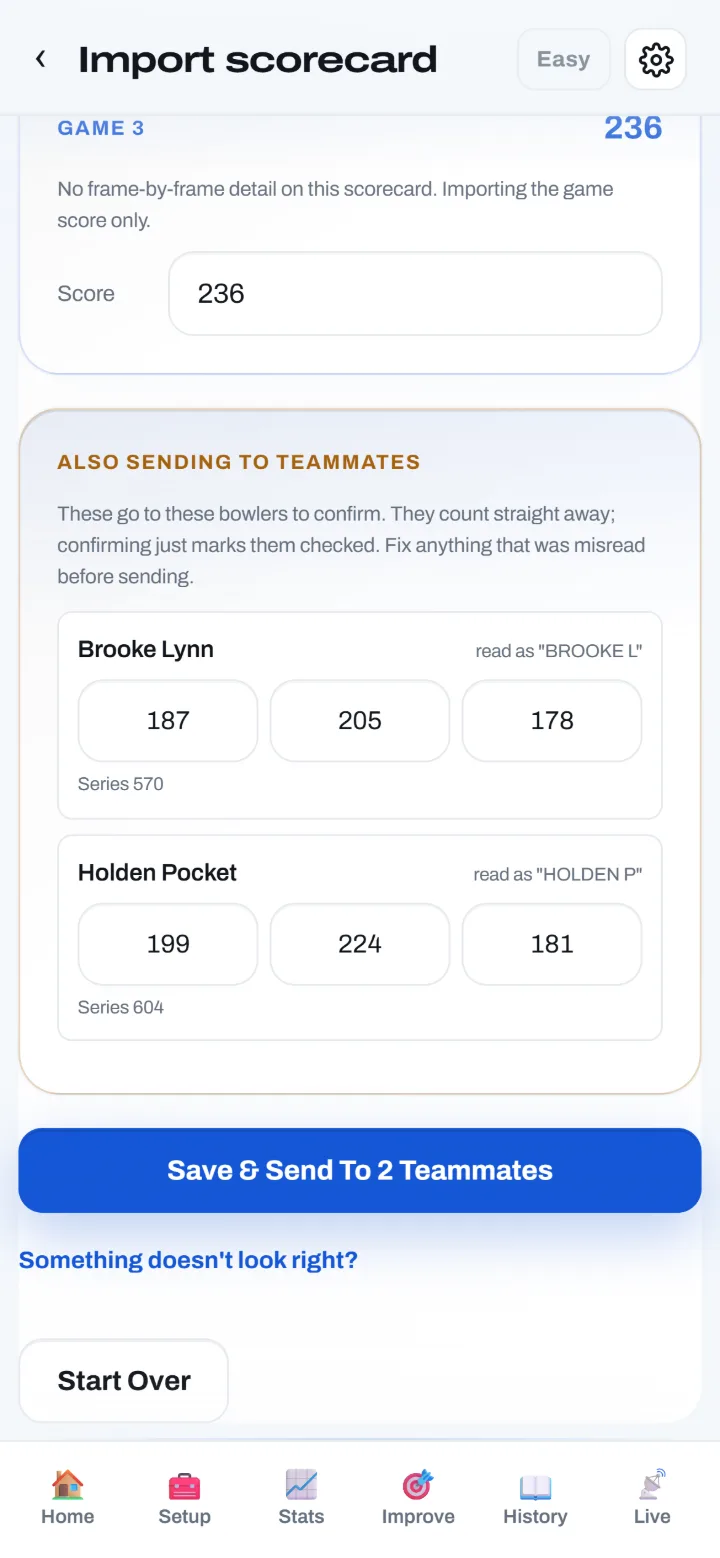
- On the review, Also sending to teammates lists each teammate with the games read for them: "These go to these bowlers to confirm. They count straight away; confirming just marks them checked. Fix anything that was misread before sending."
- Fix any number that was misread, right in its box.
- Save. With teammates on the card, the button names how many, like "Save & Send To 2 Teammates".
Under each teammate's games is their series, like "Series 612". If the card printed a different series, it says so beside it, like "card printed 598". When the card had frames, "▸ Check frames" opens them so you can fix a pin, and counts any frames the app wasn't sure of.
A box that can't be a real score turns red and holds the save until you fix it: "Game 2 couldn't be read. Type the real score, or clear the box if they didn't bowl it."
Once it's saved, the app says who got what, like "Sent Ally Lane their scores to confirm."
Who gets what
- A teammate with the app gets their games to check, in their Inbox. Their phone can tell them: Imported scores in Notifications.
- A teammate who hasn't signed up has the frames read for them saved with yours, the same as scoring them live. When they claim their spot, those frames become theirs. See Adding a teammate who isn't signed up.
Either way, their games count for your team straight away. Import the same card again and nobody is sent the same night twice: "Teammates already have this night to confirm."
What your teammate sees
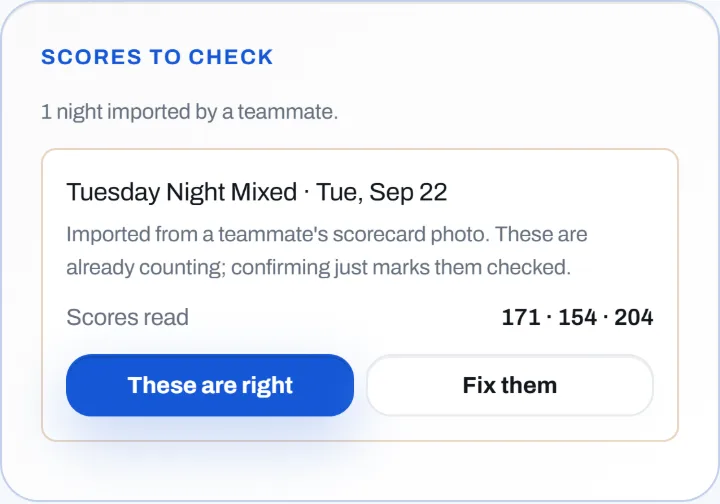
In their Inbox, under Scores To Check, like "1 night imported by a teammate." Each night shows the league and the date, then "Imported from a teammate's scorecard photo. These are already counting; confirming just marks them checked.", and the games under Scores read.
- They already typed a score that disagrees? It says which, like "Game 2: you logged 180, the photo reads 195. Yours is kept unless you change it."
- The card had frames? It says so, like "Frame-by-frame data included for 3 games. Confirming adds it to your shot history."
- They already saved that night themselves? There's nothing to check, so it doesn't ask.
Confirming or fixing
- These are right saves the night into their history: the games, the series and, when the card had them, the frames.
- Fix them opens What were they actually? with a box for each game.
- Type the right scores and tap Save corrections. Their numbers count from then on, in place of what the card read, and the night is saved into their history with them. A game they left as read keeps its frames; a game they corrected goes in without the card's frames.
- None of these are mine takes the scores away. They stop counting, and the night moves to Needs Re-entering: "You said these weren't yours, so they've stopped counting."
- Cancel goes back.
Doing nothing is fine too. The scores keep counting as they were read.