 MY BOWLING JOURNEY
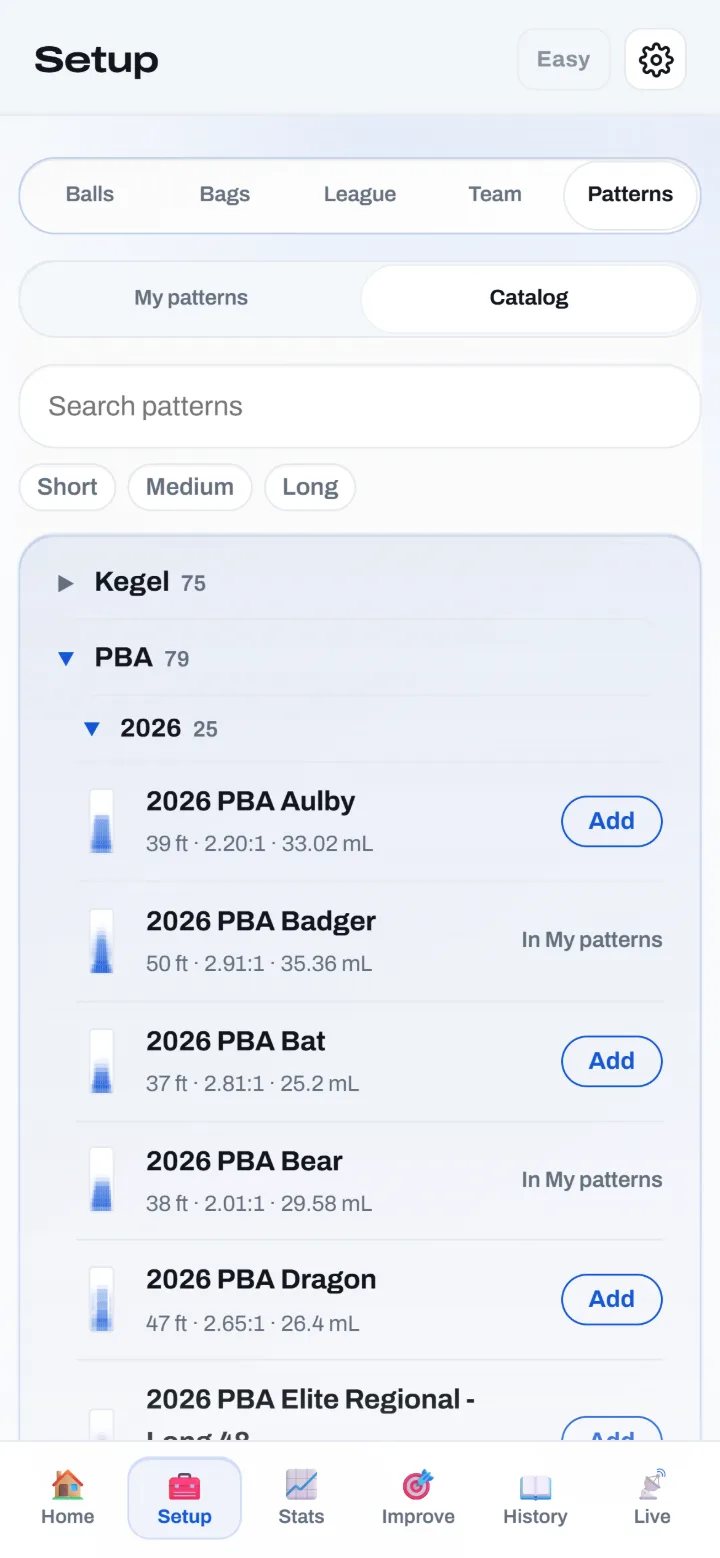
Catalog holds the published oil patterns the app knows: Kegel's series, the PBA's patterns season by season, the majors and championships, international events and more. Each one comes with its numbers and its lane drawing.
- Tap Setup, then Patterns.
- Tap Catalog.
Find a pattern
- Search patterns: type any part of the name, the series or event, or the year. Every word you type has to match, so "bear 2026" finds 2026 PBA Bear.
- Short, Medium and Long narrow it by length: Short is under 38 feet, Medium 38 to 42, and Long 43 and up. Tap more than one if you like. They work with the search.
- Or open the sections: Kegel by series, PBA by season, Majors and championships and International by event, then Other published patterns. The number beside each is how many patterns it holds.
The catalog opens on the group holding the published pattern you bowled most recently. A search opens every group it finds something in. Nothing found? It says No patterns found.
A pattern cut again for a new season keeps each version, the newest first and the older ones under it.
Its numbers and its lane
Each row shows the pattern's length, ratio and volume. Tap its small drawing to open the lane large: the oil from the foul line to the pins, the distance every 10 feet, the arrows, and a dashed line where the pattern ends. Tap ✕, tap outside it, or use your phone's Back to close it.
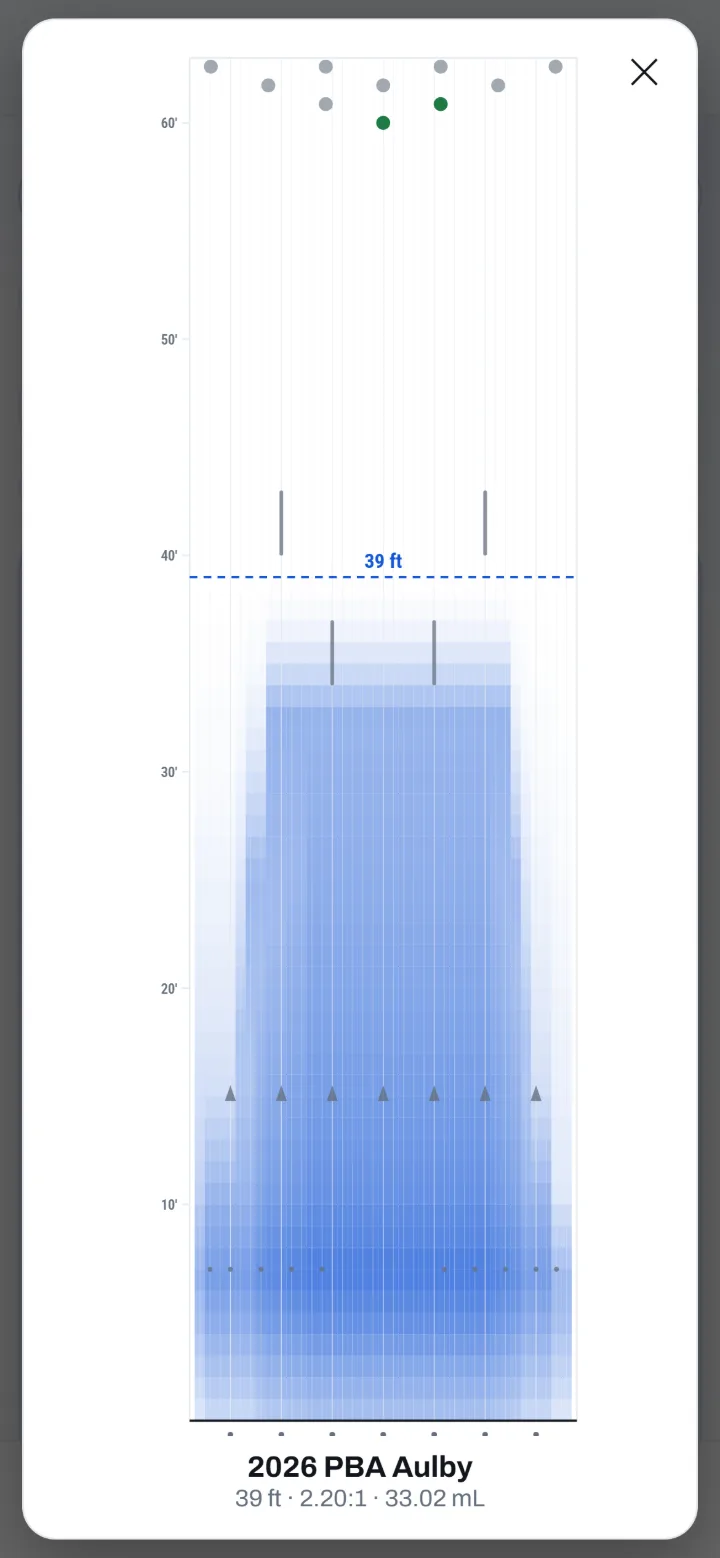
A published pattern's numbers are its sheet's. They can't be changed.
Add it to My patterns
Tap Add beside the pattern. It reads In My patterns from then on. A pattern you pick for a night, a league or a tournament is added by itself, so Add is for one you want ready before you bowl it.
Not in the catalog? Not listed? Add your own, at the bottom, opens My patterns with a new pattern ready to fill in. See My patterns.