 MY BOWLING JOURNEY
The Pro screen is where you subscribe, and where you manage it after. Any of these opens it:
- Pro at the top of the screen, when you don't have Pro.
- The banner at the top of Settings.
- Settings > Account > See Pro (or Manage subscription).
- See what Pro adds on any Pro feature.
You pay through the store your device uses: Google Play in the Android app, the App Store on an iPhone, and a secure checkout page on the website.
Choosing a plan
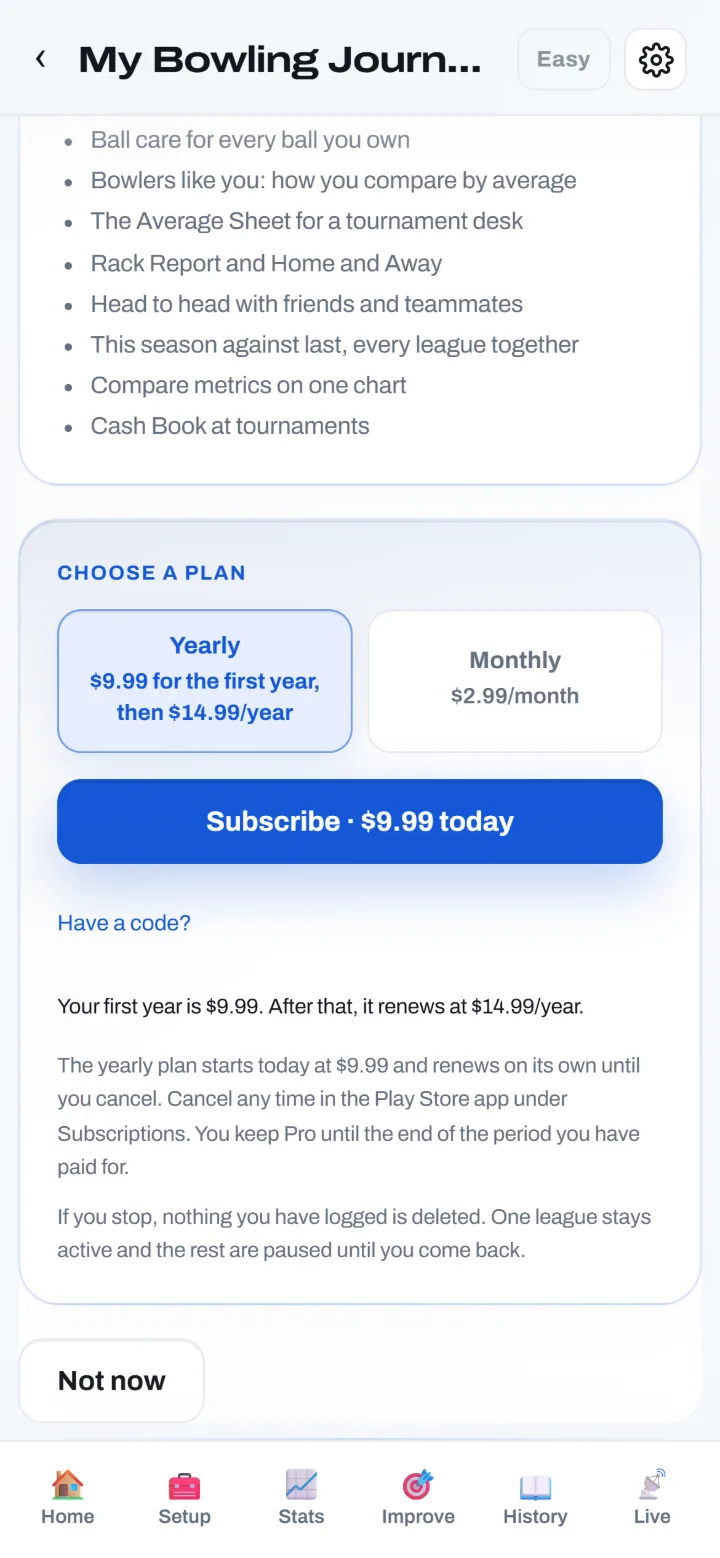
- Under Choose a plan, tap Yearly or Monthly. Each shows what it costs.
- Tap the Subscribe button. It says what you pay today, like "Subscribe · $9.99 today".
- Finish in Google Play, the App Store or the checkout page.
In the US, Monthly is $2.99 a month and Yearly is $14.99 a year. If you've never subscribed before, your first year is $9.99. The screen shows your store's prices in your own money where it has them. Monthly is never discounted.
Before you pay, the screen says exactly what happens: on Yearly, your first year's price and what it renews at; that the plan starts today and renews on its own until you cancel; how to cancel; and that you keep Pro to the end of the period you've paid for. Under that: "If you stop, nothing you have logged is deleted. One league stays active and the rest are paused until you come back."
Still in your first 30 days? It says so, like "You have Pro free for 12 more days. Subscribing now starts billing today; you can also wait, and we'll ask when your trial ends."
When it goes through, the screen says You're on Pro and everything unlocks. Tap Done.
A discount code
A code takes money off the yearly plan's first year.
- Tap Have a code? under the Subscribe button.
- Type the code and tap Apply.
- The screen says what it takes off, like "Code TENPIN applied: 20% off your first year." The Yearly price changes to match.
- Codes are for the yearly plan only. With Monthly picked, the screen says the code is for the yearly plan.
- A code takes the place of the first-year price for new subscribers. The two don't add together.
- Remove, beside the code, takes it off.
- A code that doesn't work says "That code isn't valid or has expired." Check the spelling and try again.
- The iPhone app has no code box.
Restore purchases (iPhone)
On an iPhone, Restore purchases is under the plans. Tap it if you subscribed with your Apple account and Pro isn't showing. If the App Store has nothing for your Apple account, it says "No subscription was found for this Apple account."
Android and the website have no Restore button. Pro is kept with your account, so it's there as soon as you sign in.
Managing or canceling
With Pro, open the Pro screen from Manage subscription. It says You are subscribed and where to manage it:
- Android: in the Play Store app, under Subscriptions.
- iPhone: in your iPhone's Settings: tap your name, then Subscriptions. Manage subscription opens it for you.
- Website: Manage subscription opens your billing page. You can also cancel from the link in your receipt.
Subscribed on a different device? It tells you where, like "You subscribed through Google Play. Manage or cancel it in the Play Store app on your Android phone, under Subscriptions."
When you cancel, you keep Pro until the end of the period you paid for. The Pro screen then says Your subscription is ending, with the date: "You canceled, so this ends on May 3. Everything stays unlocked until then, and you can start it again any time before it ends." On the website, Resume subscription opens your billing page, where you can start it again.
When Pro ends, nothing you've logged is deleted. You're on the free plan, with one league active and the others paused until you subscribe again. See Your active league.