 MY BOWLING JOURNEY
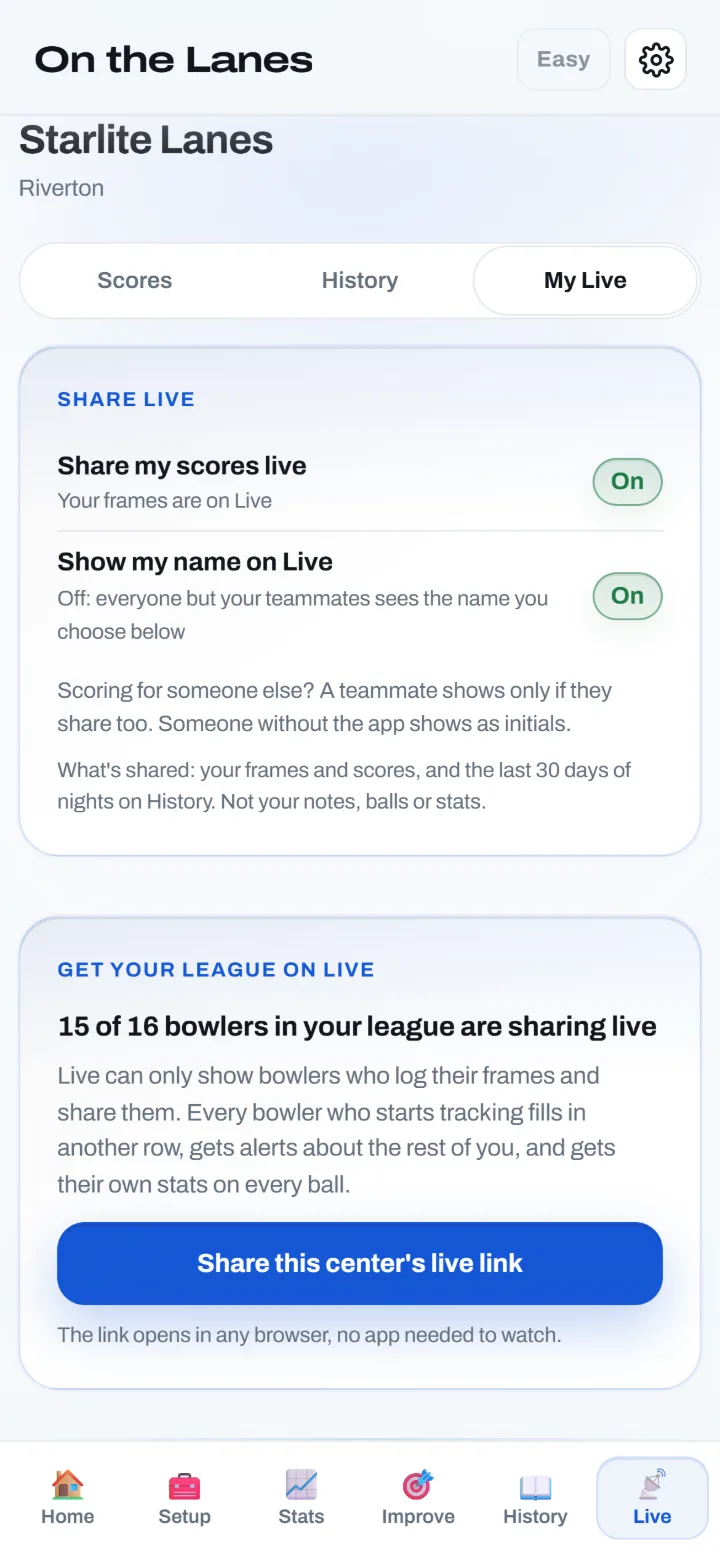
Live can only show bowlers who enter their frames in the app and share them. The Get your league on Live card at the bottom of My Live helps fill the board.
Who's sharing
The card counts your league at the bowling center you've picked, like "15 of 16 bowlers in your league are sharing live". Once everyone is, it says "Everyone in your league is on Live. Send the link to family and friends who want to watch."
Share the live link
- On Live, pick your bowling center, then tap My Live.
- Tap Share this center's live link.
- On a phone, pick where to send it. The message names the center and adds "Track your frames in My Bowling Journey and turn on sharing to show up on the board too." with the link.
- Where there's nowhere to share it, the link is copied instead and Link copied. shows.
Each bowling center has one link, so everyone who shares it sends the same one.
What the link shows
- Scores and History for that center, in any browser. Nobody needs the app or an account to watch.
- Only bowlers who chose to share live, by a short version of their name unless they chose to show it. On the link, teammates see the short name too.
- No following and no My Live.
- For anyone watching in a browser, Bowl here? and Start tracking, free invite them to track their own frames.
- On a phone with the app, the link opens the board inside the app. Back takes you back to what you were doing.
A link that no longer works says "This live link doesn't work any more. Ask for a new one."